

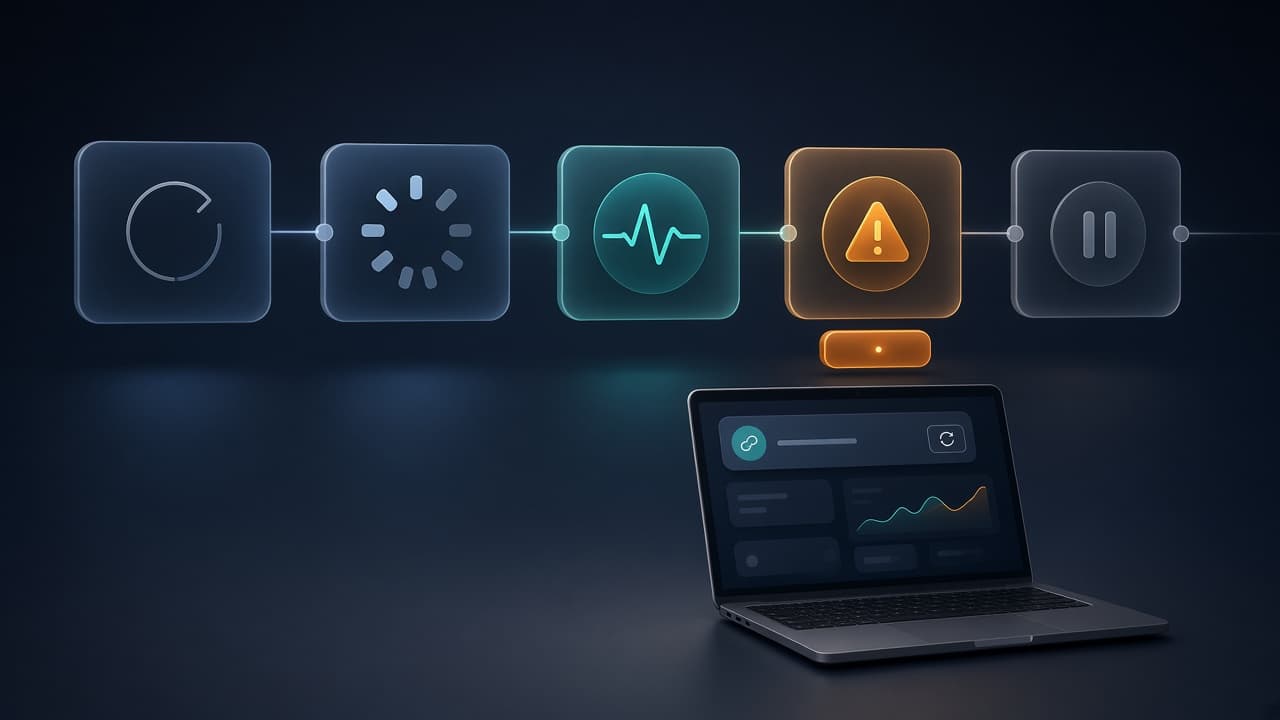
A brokerage connection is not a one-time login screen. It is an ongoing part of your product: a user grants access, data begins to arrive, a provider may ask them to reconnect, and your application has to explain what is happening without losing trust.
For a trading journal, portfolio tool, or automated investing workflow, a connection that works only on the happy path creates support work quickly. The better goal is a connection experience that makes its state visible, handles interruptions deliberately, and gives both the user and your team a clear next step.
Start with the connection states
Before designing screens or writing integration code, name the states your product needs to handle. A useful starting set is:
- Not connected: the user has not linked an account yet.
- Connecting: the user is completing the provider's consent or authentication flow.
- Connected and updating: your product has a usable connection and is retrieving data or receiving updates.
- Action required: the provider needs the user to reconnect, reauthenticate, or complete a required step.
- Temporarily unavailable: the provider or connection path cannot complete a refresh right now.
- Disconnected: the user or provider has removed access.
The exact names can vary, but they should map to a real action. Avoid presenting every problem as a generic “sync failed.” A user who needs to sign in again needs a clear reconnect action; a provider delay may simply need a visible refresh time and a retry path.
Keep consent contained and explain what follows
The connection flow should make it clear when a user is leaving your product to authenticate with a provider, when they have returned, and what your product will do next. That is especially important when multi-factor authentication, account selection, or provider-specific verification changes the path.
After a successful connection, show a useful confirmation instead of dropping the user into an empty dashboard. Tell them which account or provider was linked when that information is available, whether the first data refresh is still running, and where they can manage the connection later.
For teams using Finatic, the public quick start is designed around a server-created session and a client connection flow. The architectural point is broader than any one provider: keep durable service credentials on your server, and give the client only the short-lived information it needs to complete consent.
Treat the first refresh as a product moment
Users often expect balances, positions, orders, and history to appear immediately after they connect. In practice, the first refresh can take time and the available data can differ by provider, permissions, and account type.
Design for that uncertainty:
- Show that the connection succeeded separately from whether every resource has finished loading.
- Display the latest successful refresh time once you have one.
- Make an empty state specific: no positions is different from positions still loading.
- Preserve the connection state when one optional resource is unavailable.
- Give users a clear way to report what they expected to see.
This keeps your interface honest. It also helps support distinguish a connection problem from a normal absence of data.
Use events for freshness, then reconcile
Polling can be appropriate for periodic summaries, but event-driven updates are useful when the product depends on changes to orders, transactions, balances, positions, or connection status. The practical question is not whether a vendor labels something “real time”; it is which events are available for a connected provider and how your application behaves when an event is late, repeated, or missing.
Build event handling to be idempotent. Store an event identifier or another durable deduplication key, make repeated processing safe, and record enough context to understand the resulting state. Then run a bounded reconciliation process that compares the state derived from events with the current read API. Events can reduce latency; reconciliation is what helps your product recover from delivery gaps and provider changes.
Finatic's public product materials describe webhook-driven updates for account changes and supported order, transaction, balance, and position workflows. The exact data and freshness still depend on the connected provider and the user's permissions, so confirm the required workflow before promising it to your own users.
Make reconnects routine, not alarming
Every brokerage connection product eventually needs to ask a user to reconnect. Credentials expire, permissions change, providers update their flows, and users revoke access. A resilient product treats these as normal states rather than exceptional failures.
When reconnecting is required, explain three things plainly:
- what changed in the product state;
- what the user needs to do; and
- what will happen after they complete the step.
Do not imply that a reconnect will restore every historical record or trading permission without checking the provider-specific behavior. The safe promise is narrower: the user can reauthorize the connection, and your product can then refresh the resources the provider and their permissions allow.
Give support and engineering the same vocabulary
Connection reliability improves when product, support, and engineering use the same state model. If the customer sees “Action required,” support should be able to identify the associated provider state and offer the same next step. If engineering sees a delayed event, the product should not tell the user that an order is final before the underlying state supports it.
Create a small operational checklist for every connection issue:
- provider and account context, without exposing credentials;
- current connection state and last successful refresh;
- the resource or action the user expected;
- whether a reconnect is available or required;
- whether the issue is isolated to one provider or affects multiple connections.
That checklist gives teams a faster way to diagnose problems without asking users to repeat their entire workflow.
Evaluate the experience with one real workflow
The strongest test is a small end-to-end workflow that reflects your product. For a trading journal, connect an account, load positions and transaction history, make a change that should update the product, and test the reconnect path. For a trading workflow, add the permission and order-lifecycle cases that matter to the product.
Record what actually happened: connection steps, resources returned, event timing, reconnect behavior, and any gaps. This turns a vague integration decision into an evidence-backed acceptance test that can be rerun when a provider changes.
Finatic can help teams build an embedded broker connection flow around the exact resources and workflows they need. Start with the integrations directory, review the quick start, or send us one specific workflow—the provider, resources, actions, and freshness requirement—to scope it accurately.